Create support tickets in Zendesk
Updated July 14, 2023
The create support ticket action adds support tickets in Zendesk. Under the hood, this action calls the create ticket API endpoint. If the call fails, we’ll retry it for you.
Adding the create support ticket action in the formspree.json file has the same effect as adding the Zendesk plugin in the Formspree dashboard. See the Zendesk plugin help article for more information.
Get your API Token
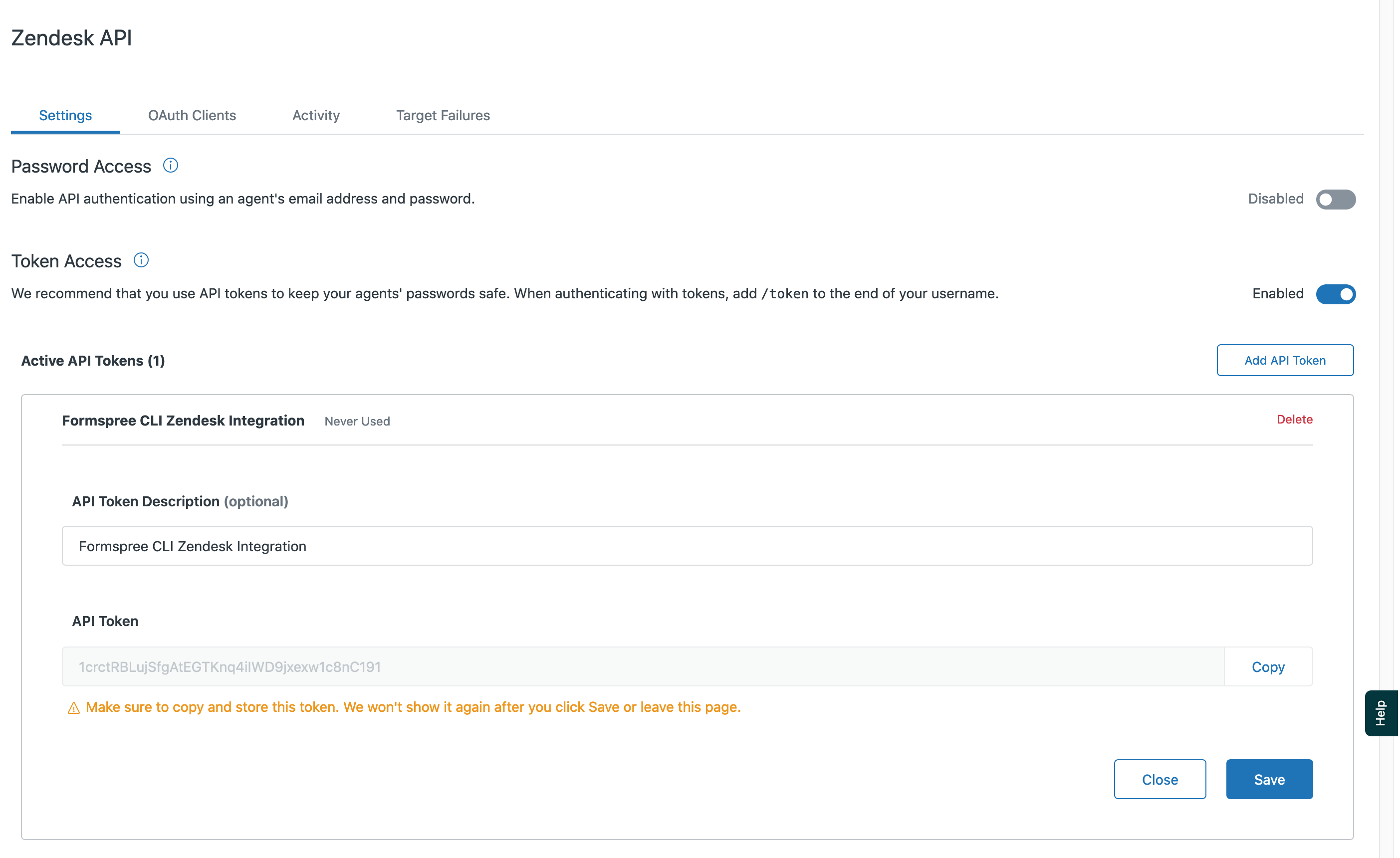
First, go to your Zendesk account and get or create your API Token.
This is available in Admin->Channels->API. Click on Add API Token button and create your token. Copy it, it will be needed in formspree.json configuration.
Formspree.json configuration
| Key | Type | Description |
|---|---|---|
app | String | Must be zendesk |
type | String | Must be createSupportTicket |
subdomain | String | Your Zendesk subdomain (without .zendesk.com) |
zendeskEmail | String | Your Zendesk subdomain valid access email |
apiToken | String | Your API key (must be a $env variable reference, required) |
Example
{
  "forms": {
    "support": {
      "name": "Support Form",
      "actions": [
        {
          "app": "zendesk",
          "type": "createSupportTicket",
          "subdomain": "formspree",
          "zendeskEmail": "zendesk@formspree.io",
          "apiToken": "$ZENDESK_APITOKEN"
        }
      ]
    }
  }
}
Validation rules
The create support ticket action adds the following validation rules implicitly:
| Field | Validation Rule |
|---|---|
email | Type is email |