Getting started with projects
Available on: All Plans
Projects allow you to create logical groupings of your forms and apply global settings that apply to all forms in a project.
Creating a project
From your dashboard, click the button in the top right that says +New Project.
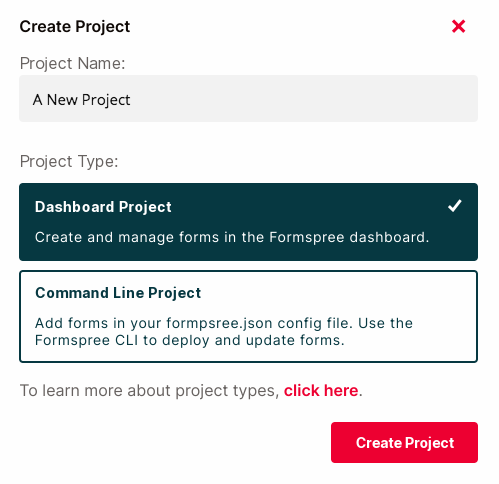
Dashboard projects
Dashboard projects are managed through the Formspree interface. You can create forms, update settings, and configure plugins, all in the Formspree dashboard. You should probably use dashboard projects if:
- You prefer setting up and configuring forms in the Formspree dashboard. You prefer to avoid command line tools and config files if you can help it.
- You are happy with client-side HTML or javascript form validation. You don’t need backend form validation.
- You aren’t using React to build your forms.
Command line projects
Command line projects are managed with the Formspree CLI. You can create forms, update settings, and configure plugins using the formspree.json file, and deploy those changes using the CLI deploy command. You should probably use CLI projects if:
- You are comfortable using command line tools and config files, and prefer to keep your form configuration under version control.
- You deploy your website using CI/CD tools and would like to manage your forms the same way.
- You wish to validate form data on the backend using custom validation rules.
- You’re using React to build your forms.
Creating a form in a project
For dashboard projects, you can begin adding forms by clicking the + New Form button. You will see an option to select the project to which your form will be added.
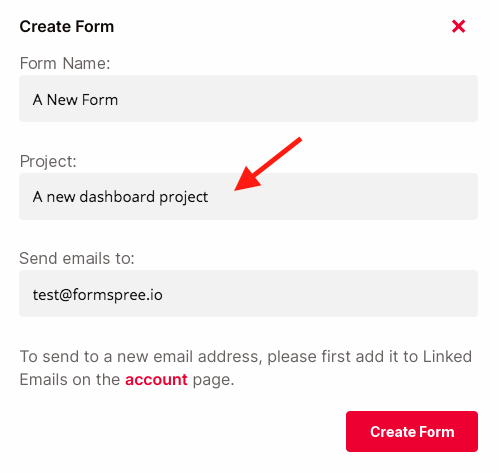
Note that you can only add forms to dashboard projects in the Formspree dashboard. To add forms to CLI projects, please use the Formspree CLI.
Migrating forms across projects
If you want to move a form already created to a different project, you can visit the form’s Settings tab and scroll down to “Move Form” and click the arrow icon on the right side. From here you can choose to move to any projects that you have access to.
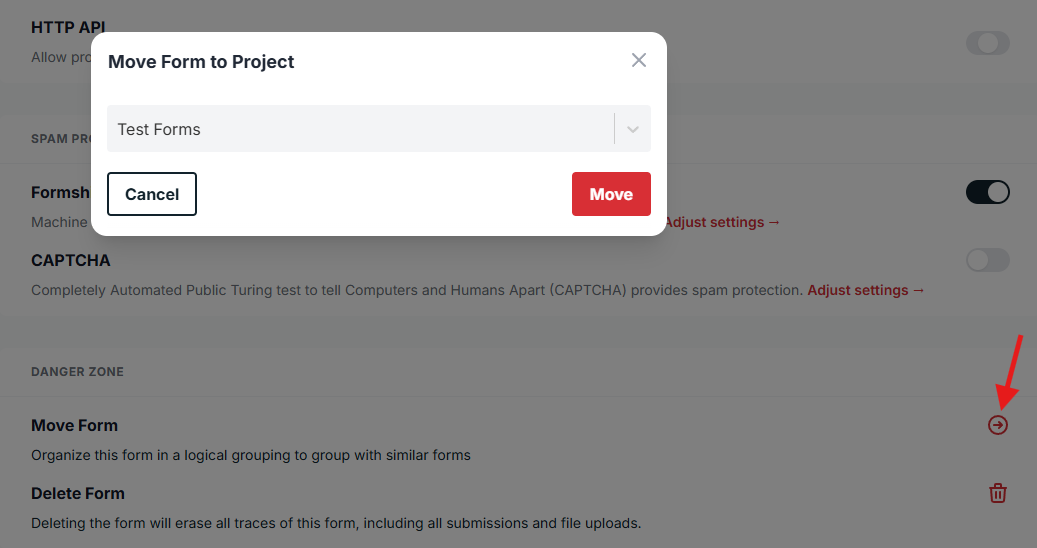
If you are moving a form that was not in a project previously, note that some settings will now inherit project settings instead. Similarly, if you remove a form from a project, certain project settings will no longer apply.