# Proteggere i tuoi moduli con Cloudflare Turnstile

> Formspree Docs · Impostazioni del modulo e del progetto · 14 aprile 2026

[**Cloudflare Turnstile**](https://www.cloudflare.com/products/turnstile/) è un'alternativa moderna e orientata alla privacy ai CAPTCHA. Offre il rilevamento dei bot senza attriti, senza challenge per l'utente, migliorando sia l'accessibilità sia la sicurezza del modulo.

Formspree supporta Turnstile out of the box: basta configurare le tue chiavi e abilitare il CAPTCHA nelle impostazioni del modulo.

## Passaggio 1: Creare un sito Turnstile

Inizia visitando la [**dashboard di Cloudflare Turnstile**](https://dash.cloudflare.com/login).

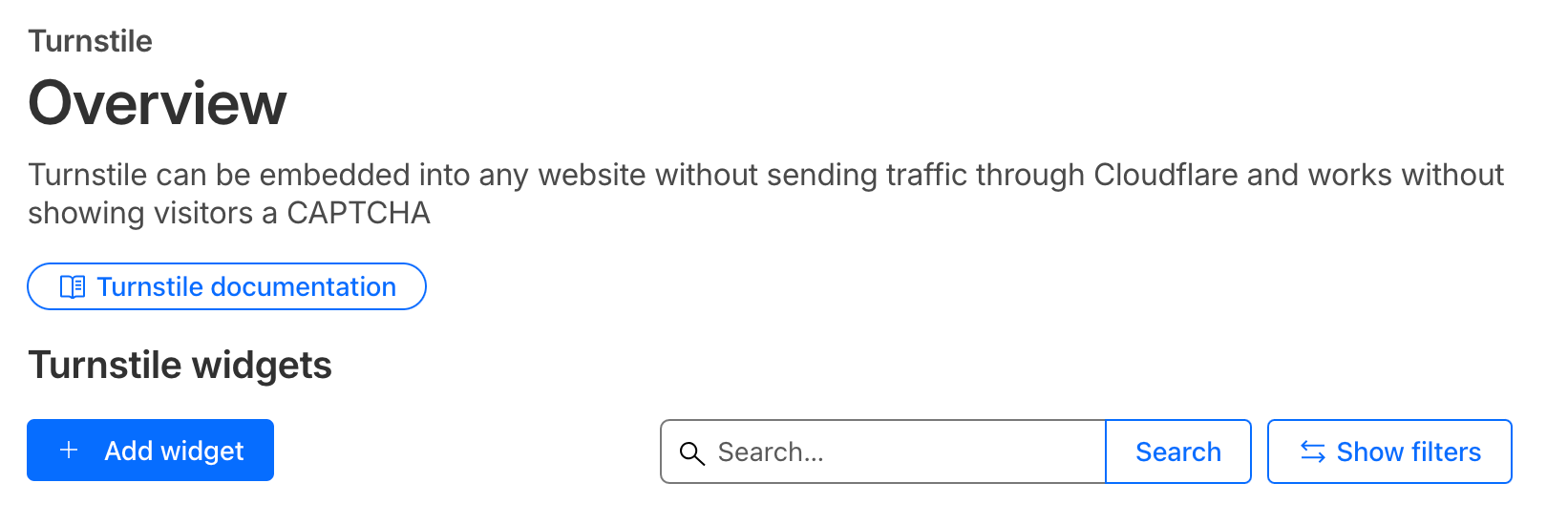
Fai clic su **Add widget** per creare un nuovo sito Turnstile, poi:
![](/images/zendesk/bc4a8a1144d62f97.png)

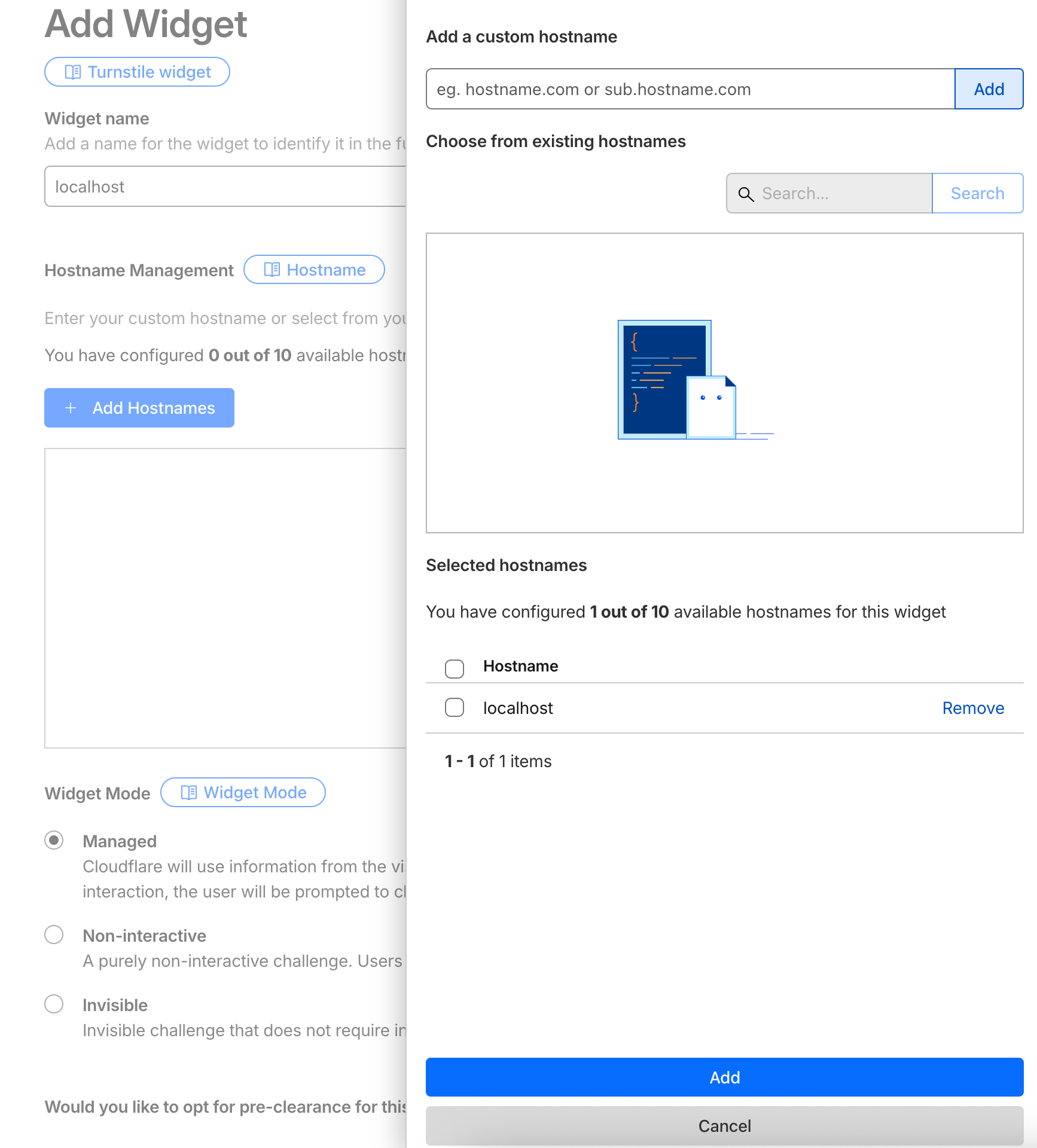
1.  Inserisci un **nome** per il tuo sito.
2.  Aggiungi il tuo **dominio** (es. `example.com`) sotto _Allowed Domains_. Usa [localhost](http://localhost) per scopi di sviluppo.
3.  Scegli la **modalità widget**
![](/images/zendesk/521525158f0b0557.png)

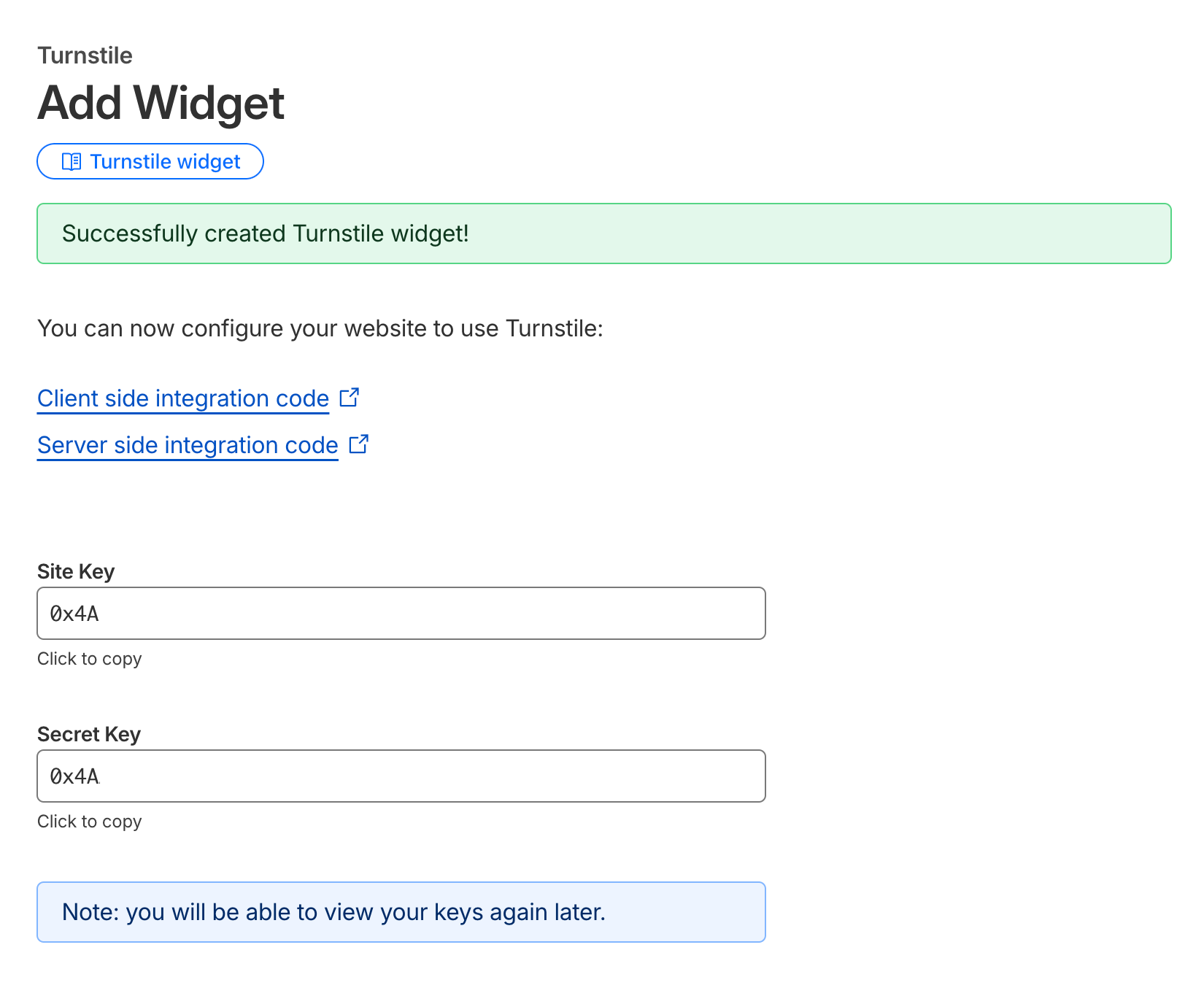
Salva la configurazione. Una volta creato, vedrai le tue nuove chiavi del Widget
![](/images/zendesk/215916e29d42d475.png)

Copia questa **Site Key e Secret Key**: le userai nel tuo modulo HTML e nella configurazione di Formspree.

## Passaggio 2: Configurare il CAPTCHA in Formspree

Vai alla pagina delle impostazioni del tuo modulo nella [**Formspree Dashboard**](https://formspree.io/dashboard).

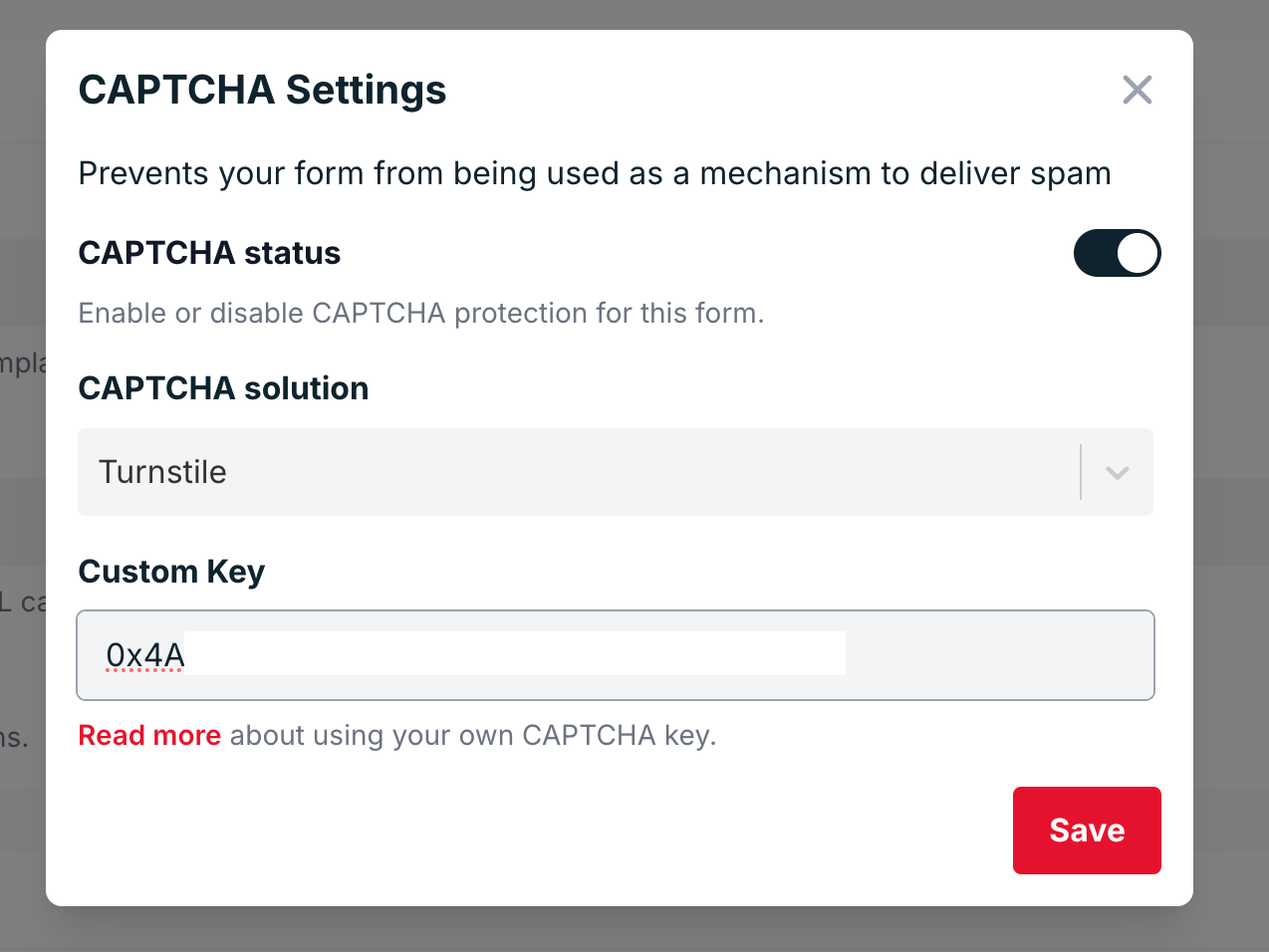
Nella sezione **CAPTCHA**, assicurati che la protezione CAPTCHA sia **abilitata**.

Fai clic su **Adjust settings**, seleziona **Cloudflare Turnstile** e incolla la tua **Secret Key** nel campo fornito.
![](/images/zendesk/bf1ee8ffccbe6861.png)

Salva le modifiche.

## Passaggio 3: Aggiungere Turnstile all'HTML del tuo modulo

Ora è il momento di aggiungere Turnstile al tuo modulo. Includi lo **script Turnstile** e la tua **Site Key** nel tuo codice HTML.

Ecco un esempio di base:

```html
<html>
  <head>
    <title>Turnstile Demo</title>
    <script src="https://challenges.cloudflare.com/turnstile/v0/api.js" async defer></script>
  </head>
  <body>
    <form action="https://formspree.io/f/{your-form-id}" method="POST">
      <input type="email" name="email" placeholder="Email" required />
      <div class="cf-turnstile" data-sitekey="{your-site-key}"></div>
      <br />
      <input type="submit" value="Submit" />
    </form>
  </body>
</html>
```

Quando un utente invia il modulo, il widget Turnstile genera automaticamente un token (`cf-turnstile-response`) che viene verificato da Formspree usando la tua Secret Key.

## Usando AJAX (Opzionale)

Se invii il tuo modulo tramite AJAX, puoi includere manualmente il token Turnstile nella tua richiesta.

Di seguito un esempio usando **Vanilla JS**:

```html
<!DOCTYPE html>
<html>
  <head>
    <title>Turnstile AJAX Demo</title>
    <!-- Turnstile script -->
    <script src="https://challenges.cloudflare.com/turnstile/v0/api.js" async defer></script>
  </head>
  <body>
    <form id="form" method="POST" action="https://formspree.io/f/<form-hashid>">
      <input type="email" name="email" placeholder="email@example.com" required />

      <!-- Turnstile widget (automatically adds hidden cf-turnstile-response input) -->
      <div class="cf-turnstile" data-sitekey="{site-key}"></div>

      <br />
      <button type="submit">Submit</button>
    </form>

    <script>
      const form = document.getElementById("form");

      form.addEventListener("submit", function (event) {
        event.preventDefault();

        // Grab all form fields, including the hidden cf-turnstile-response
        const data = new FormData(form);

        fetch(form.action, {
          method: form.method,
          body: data,
          headers: {
            "Accept": "application/json"
          }
        })
          .then(function (response) {
            return response.json();
          })
          .then(function (data) {
            console.log("Formspree response:", data);
          })
          .catch(function (error) {
            console.error("Error:", error);
          });
      });
    </script>
  </body>
</html>
```

Oppure usando l'[API Turnstile](https://developers.cloudflare.com/turnstile/get-started/client-side-rendering/#widget-lifecycle-management)

```html
<!DOCTYPE html>
<html lang="en">
<head>
  <meta charset="UTF-8" />
  <script
    src="https://challenges.cloudflare.com/turnstile/v0/api.js?render=explicit"
    defer
  ></script>
</head>
<body>
  <form id="contact-form">
    <input type="email" name="email" placeholder="Email" required />
    <div id="turnstile-container"></div>
    <button type="submit">Send</button>
  </form>

  <script>
    let widgetId = null;

    // Render widget when the page finishes loading
    window.onload = function () {
      if (!window.turnstile) {
        console.error("Turnstile did not load.");
        return;
      }

      widgetId = window.turnstile.render("#turnstile-container", {
        sitekey: "{your-site-key}",
        callback: function (token) {
          console.log("Turnstile success:", token);
        }
      });
    };

    // AJAX submit
    document.getElementById("contact-form").addEventListener("submit", function (event) {
      event.preventDefault();
      const form = this;
      const formData = new FormData(form);

      // Ensure we send the token under the standard field name
      // If Turnstile already added a hidden input, this overwrites it.
      formData.set("cf-turnstile-response", token);

      fetch("/submit", {
        method: "POST",
        body: formData
      })
        .then((res) => {
          if (!res.ok) {
            throw new Error("Server error: " + res.status);
          }
          return res.text();
        })
        .then((text) => {
          alert("Server replied: " + text);
          // Reset for next submission
          window.turnstile.reset(widgetId);
          form.reset();
        })
        .catch((err) => {
          console.error(err);
          alert("Request failed: " + err.message);
        });
    });
  </script>
</body>
</html>
```
